Dear Sisters and Brothers:
The Membership Records Department requests that you please DO NOT use the District 142 Membership Application on the District 142 website to update your personal information. Doing so could result in the deletion of your original membership application!
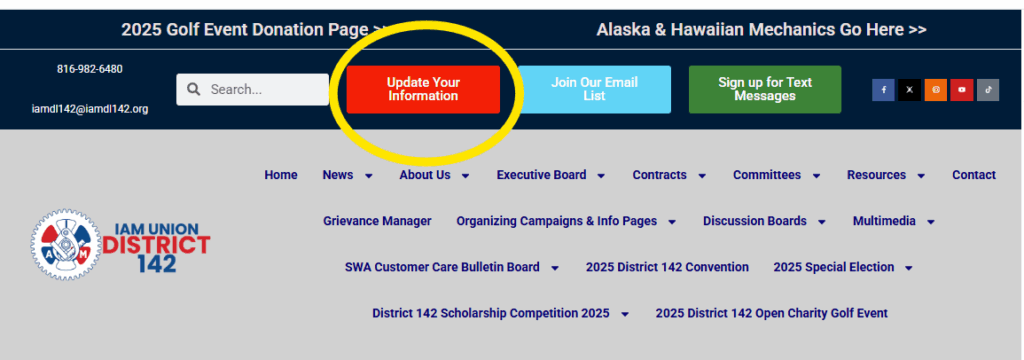
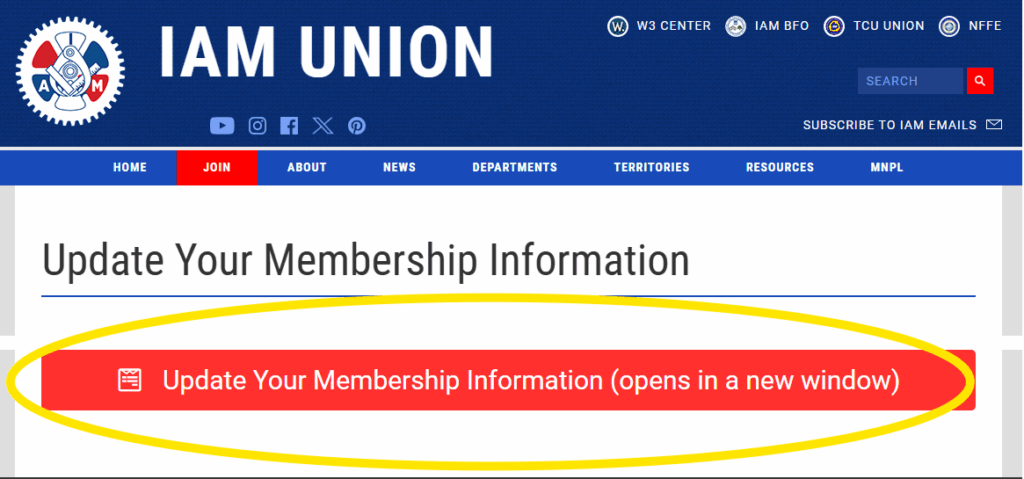
Please use the red button titled “Update Your Information” located at the top of the District’s Home Page: atd142.org. Once you click this button, you will be taken to a page on the goiam.org website, where you will need to click on the red dialog box titled “Update Your Membership Information.”
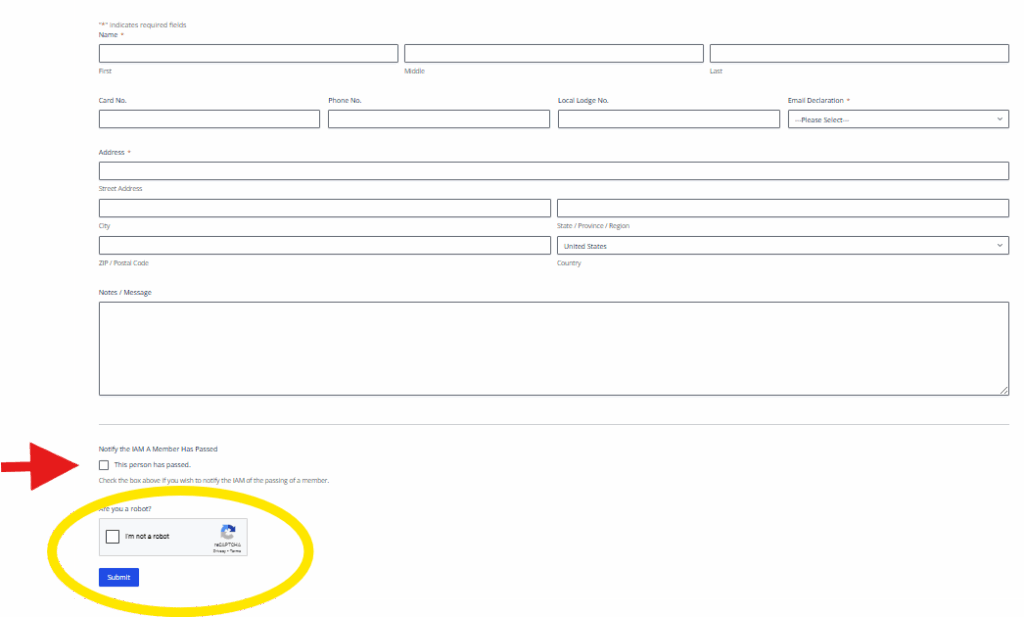
After entering your updated information, make sure to check the “reCAPTCHA” box at the bottom of the form before submitting. Please do not check the box next to “This person has passed” unless that is the case.
Please see the screenshots below for reference.
Sincerely and fraternally,
John M. Coveny, Jr.
President/Directing General Chair